
First Alert Professional Security System Manual: A Comprehensive Guide
Congratulations on selecting a First Alert Professional Partitioned Security System, a wise investment for safeguarding your property and loved ones with professional expertise.
Congratulations on your ownership of a First Alert Professional Partitioned Security System! This system represents a significant step towards enhancing the safety and security of your home or business. Designed for reliability and ease of use, your new system offers comprehensive protection against burglary, fire, and other potential emergencies.
This manual serves as a complete guide to understanding and operating your security system effectively. It details all features, functions, and procedures necessary for optimal performance. Familiarize yourself with the system’s capabilities, including arming modes, keypad operations, alarm responses, and troubleshooting tips.

The First Alert System, such as the FA120C model, is engineered to provide peace of mind. Remember that unauthorized changes or modifications to the system may void its warranty and compromise its effectiveness. This system is designed for use with compatible devices, ensuring seamless integration and optimal functionality.

Security Codes and Authority Levels
Your First Alert Professional Security System utilizes multiple security codes to control access and system functions. A primary (Master) code grants full authority, allowing complete system control, including programming changes and user management. Secondary codes, assigned to individual users, offer limited access, typically for arming/disarming the system.

It is crucial to maintain the confidentiality of your security codes. Avoid sharing them with unauthorized individuals and consider changing them periodically to enhance security. The system supports various authority levels, dictating which functions each user can perform. Carefully consider the appropriate level of access for each user.
Remember to consult the system programming section of this manual for detailed instructions on adding, deleting, and modifying security codes. Proper code management is essential for maintaining the integrity and effectiveness of your security system. Protect your codes!
Understanding Arming Modes
Your First Alert Professional Security System offers multiple arming modes to suit various situations and security needs. These modes determine which sensors are active and how the system responds to intrusions. Understanding these modes is vital for effective system operation and maximizing protection.
The system supports at least two primary arming modes: Away Mode and Stay Mode. Away Mode provides maximum security, activating all sensors when the premises are unoccupied. Stay Mode, designed for when occupants are present, typically arms perimeter sensors while disabling interior motion detectors.

Selecting the appropriate arming mode ensures optimal security without causing unnecessary alarms. Re-entering the premises during the exit delay in Away Mode can reset the timer once. Explore the system’s capabilities for maximum arming modes, enhancing your overall security posture.
Away Mode Operation
Away Mode is designed for comprehensive protection when your property is unoccupied. When activated, this mode arms all programmed sensors, including door contacts, window sensors, and motion detectors, creating a complete security perimeter. It’s ideal for when you leave for work, go on vacation, or are otherwise absent from the premises.
Upon arming in Away Mode, the system initiates an exit delay, allowing you time to leave the building without triggering a false alarm. If a sensor is breached during the armed period, the alarm will sound, and a signal will be sent to the monitoring center. Remember, re-entering and exiting before the exit delay expires resets the timer once.
Ensure all doors and windows are securely closed before arming in Away Mode to prevent unwanted activations. This mode provides the highest level of security for your First Alert Professional Security System.
Stay Mode Operation
Stay Mode provides a focused security perimeter while you remain inside your home. This mode typically arms perimeter sensors – those on doors and windows – but bypasses interior motion detectors, allowing you to move freely within the protected space. It’s perfect for nighttime or when you’re home but want to maintain a degree of security.
Activating Stay Mode initiates an exit delay, similar to Away Mode, giving you time to reach your desired location inside the house. If a perimeter door or window is opened while armed, the alarm will activate. Interior motion detectors remain inactive, preventing false alarms caused by your movement.
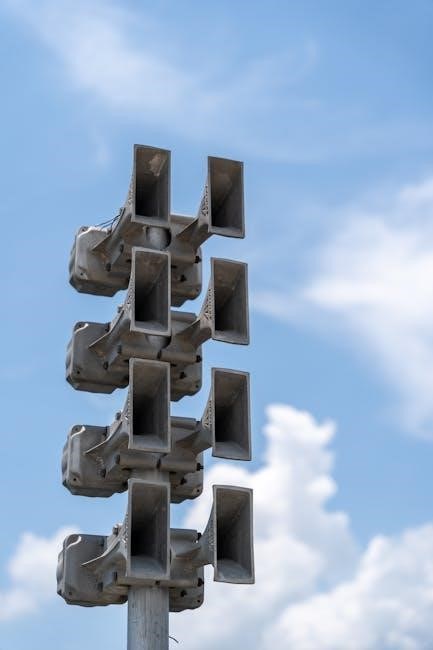
Utilizing Stay Mode offers peace of mind without restricting your movement within your home, maximizing the benefits of your First Alert Professional Security System.
Keypad Functions and Navigation
Your First Alert Professional Security System keypad serves as the central control point for arming, disarming, and managing your system. Familiarizing yourself with its functions is crucial for effective operation. Keypads typically feature numbered keys for entering security codes, along with dedicated buttons for Away, Stay, and Off (disarm) modes.
Navigation often involves scrolling through menus using the up and down arrow keys, and confirming selections with the Enter or # key. The keypad display provides real-time system status updates, including arming status, alarm conditions, and any trouble alerts.
Understanding the keypad’s layout and functions ensures seamless interaction with your security system, allowing you to quickly and efficiently manage your home’s protection.
Entering and Exiting Security Codes
To operate your First Alert Professional Security System, accurate security code entry is paramount. When prompted, carefully input your assigned code using the keypad. Avoid common sequences like “1234” or your birthdate for enhanced security. After entering the code, confirm with the Enter or # key.
Exiting a code typically involves the same process, often required to disarm the system or access advanced settings. Remember to keep your security code confidential and avoid sharing it with unauthorized individuals.
If you forget your code, contact your monitoring provider or a qualified technician for assistance. Incorrect code attempts may trigger an alarm or temporarily lock the system, so proceed with caution.
Responding to Alarms
Upon alarm activation, your First Alert Professional Security System immediately notifies the monitoring center. Remain calm and verify the situation if safe. Do not attempt to investigate alone if a burglary alarm sounds; prioritize your safety.
To silence a burglary alarm, press the OFF key and then enter your valid security code followed by OFF. This clears the keypad’s memory. For fire alarms, evacuate immediately and call emergency services – do not attempt to silence a fire alarm yourself.
False alarms can occur; promptly inform the monitoring center if an alarm is erroneous to avoid unnecessary emergency dispatches. Familiarize yourself with these procedures for a swift and effective response.
Silencing a Burglary Alarm
When a burglary alarm activates, the system immediately alerts the monitoring center. Your prompt action is crucial. First, ensure your personal safety and do not investigate if it’s unsafe. To silence the alarm and acknowledge the event, locate the keypad closest to the triggered zone.
Press the clearly marked OFF key. The system will then prompt you to enter your six-digit security code. Following code entry, immediately press OFF again. This sequence clears the alarm memory and stops the audible siren.
Remember, silencing the alarm doesn’t resolve the cause; the monitoring center will attempt to verify the situation. Always cooperate fully with their instructions.
Addressing Fire Alarm System Alerts
A fire alarm activation demands immediate and decisive action. The system prioritizes life safety, instantly notifying both you and the monitoring center. Do not attempt to investigate the source of the alarm; evacuate immediately following your pre-planned escape route.
To silence the fire alarm after ensuring everyone is safely outside, enter your security code followed by the OFF key. This acknowledges the alarm to the system, but does not reset it until the cause is addressed.
Never re-enter a burning building. Allow trained firefighters to handle the situation. Contact the fire department even if the alarm was a false trigger to ensure a thorough inspection.
Using the 70 Relay Menu Mode
The 70 Relay Menu Mode allows advanced users to customize system functionality through programmable relay outputs. Accessing this mode requires a higher authority level security code, typically reserved for installers or experienced users. Incorrect programming can disrupt system operation, so proceed with caution.
Within the 70 Relay Menu, you can assign specific actions to each relay, such as activating external sirens, controlling door locks, or integrating with smart home devices. Detailed programming instructions are found in the installer’s manual, outlining available options and corresponding codes.
Always document any changes made within this mode to facilitate troubleshooting and future adjustments. Unauthorized changes or modifications may void your warranty.
System Compatibility and Device Integration
Your Honeywell security system is engineered for seamless integration with a wide array of compatible devices, enhancing its functionality and tailoring it to your specific needs. This includes door and window sensors, motion detectors, glass break detectors, and smoke/carbon monoxide detectors.
Furthermore, the system supports integration with smart home platforms, allowing remote control and monitoring via smartphone apps. Compatibility extends to digital video recorders (DVRs) for surveillance, enabling recording and playback of security footage.
Refer to the comprehensive compatibility list in the manual or on the manufacturer’s website to ensure device compatibility before purchasing. Utilizing non-approved devices may compromise system performance and void the warranty.
Troubleshooting Common Issues
Addressing minor issues promptly can prevent significant disruptions to your security. Common problems include false alarms, often triggered by improper sensor placement or environmental factors. Ensure sensors are securely mounted and free from obstructions. Adjust sensitivity settings if necessary, consulting the manual for guidance.
Low battery indicators signal the need for immediate replacement to maintain system reliability. Regularly test all components, including sensors and the control panel, to verify proper operation. If issues persist, consult the troubleshooting section of this manual.
For complex problems, contact a qualified technician. Remember, unauthorized repairs may void your warranty and compromise system security.
False Alarm Prevention
Minimizing false alarms is crucial for maintaining the integrity of your First Alert Professional Security System and avoiding unnecessary emergency responses. Ensure all doors and windows are securely closed before arming the system, as even slight openings can trigger a breach. Properly position and test all motion detectors, avoiding areas with high traffic or potential interference like pets or sunlight.
Educate all users on proper arming and disarming procedures, emphasizing the importance of entering the correct security code. Regularly inspect sensors for damage or obstructions. Adjust sensitivity settings as needed, following the guidelines in this manual. Remember, consistent vigilance and proper system maintenance are key to preventing false alarms.
Low Battery Indicators
Your First Alert Professional Security System utilizes battery backup to ensure continued operation during power outages. The system provides clear indications when batteries are running low, typically through audible chirps from the control panel or specific alerts displayed on the keypad. Promptly address these warnings to prevent system failure.
Replace low batteries with fresh ones of the correct type, as specified in the system’s documentation. AC-powered smoke alarms with battery backup will also signal low battery conditions. Regularly test all devices to confirm battery functionality. Ignoring low battery indicators compromises your security, so proactive maintenance is essential for reliable protection.
Fire Alarm System Details
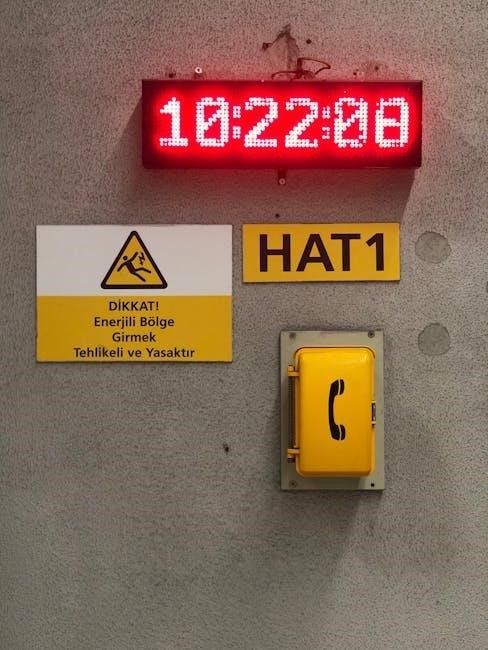
The First Alert Professional Security System integrates seamlessly with your fire alarm devices, providing comprehensive fire protection. This system supports both AC-powered and battery-operated smoke alarms, offering layered security. Upon smoke detection, the system immediately activates a distinct fire alarm signal, alerting both occupants and the monitoring center.
Ensure all smoke alarms are properly installed and regularly tested. The system’s fire alarm functionality is crucial for early detection and rapid response. Familiarize yourself with the specific alarm sounds and procedures outlined in this manual. Remember to silence a fire alarm using the security code plus the OFF sequence, as detailed in the responding to alarms section.
Smoke Alarm Functionality (AC Powered vs. Battery Operated)
First Alert Professional Security Systems accommodate both AC-powered and battery-operated smoke alarms, each offering unique advantages. AC-powered units provide continuous protection and can be interconnected, meaning if one detects smoke, all alarms sound. However, they cease functioning during power outages.
Battery-operated alarms offer uninterrupted protection, even during power failures, but require regular battery checks and replacements. AC units with battery backup combine the benefits of both. It’s vital to understand your specific alarm types and their limitations. Regularly test all smoke alarms to ensure proper operation and maintain a safe environment. Proper functionality is key to a responsive fire safety system.
Remote Surveillance and DVR Integration
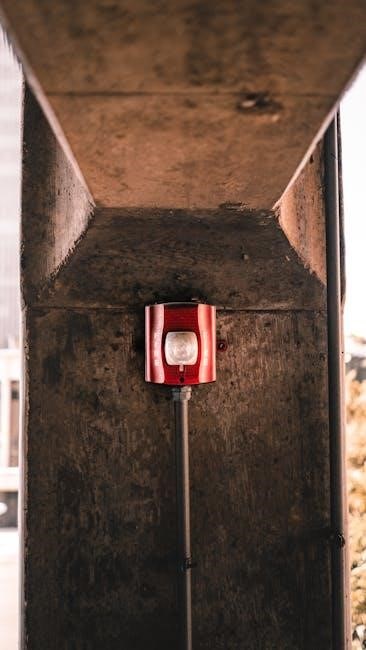
Your First Alert Professional Security System can be significantly enhanced through integration with a 264 digital video recorder (DVR), enabling comprehensive remote surveillance capabilities. This allows you to monitor your property from anywhere with an internet connection, providing peace of mind and valuable evidence in case of an incident.
Motion detection features within the DVR system trigger recording, capturing crucial events. Remote access via smartphone or computer provides live viewing and playback of recorded footage; Proper DVR setup and configuration are essential for optimal performance. Ensure secure network settings to protect your surveillance data. This integration transforms your security system into a proactive monitoring solution.

Maximizing System Security
To truly maximize the effectiveness of your First Alert Professional Security System, diligent adherence to best practices is crucial. Regularly test the system – including sensors, alarms, and communication links – to ensure full functionality. Avoid disclosing security codes to anyone outside your immediate household and change them periodically.
Be mindful of potential vulnerabilities, such as easily accessible windows or poorly lit areas. Consider reinforcing entry points and improving exterior lighting. Review the system’s settings and customize them to your specific needs. Familiarize yourself with all features and promptly address any identified issues. Remember, a proactive approach significantly strengthens your overall security posture.
User Manual and Important Instructions
This First Alert Professional Security System Manual provides comprehensive guidance for optimal operation and maintenance. Carefully review all sections before attempting any configuration or troubleshooting. Unauthorized modifications or repairs may void the warranty and compromise system integrity. Keep this manual readily accessible for future reference and share it with all authorized users.
Prioritize understanding alarm procedures, emergency contact information, and system limitations. Regularly inspect all components for damage or wear. Adhere to all local regulations regarding alarm systems. Remember, responsible usage and diligent maintenance are paramount to ensuring the continued reliability and effectiveness of your security investment.